Art prompt generator
To use the art prompt generator, open the Ideas tab, pick Art and press New prompts. Each prompt names a subject, a moment, a setting, a medium and a color palette, so you can start right away. The generator runs in your browser, so it is free and has no daily limit.
By The Promptcairn team (Product and testing). Last updated .
491,520 possible art prompts. Unlimited and free, because these run in your browser.
A pair of dancers waiting for the rain to stop in a field of tall sunflowers. Try it in pixel art, using cool grays with one red object.
- Subject:
- a pair of dancers
- Moment:
- waiting for the rain to stop
- Setting:
- in a field of tall sunflowers
- Medium:
- pixel art
- Palette:
- cool grays with one red object
A market stall lost in a crowd in a market at night. Try it in oil pastel, using cool grays with one red object.
- Subject:
- a market stall
- Moment:
- lost in a crowd
- Setting:
- in a market at night
- Medium:
- oil pastel
- Palette:
- cool grays with one red object
A market stall waiting for the rain to stop on a tiny planet. Try it in watercolor, using a sunset gradient.
- Subject:
- a market stall
- Moment:
- waiting for the rain to stop
- Setting:
- on a tiny planet
- Medium:
- watercolor
- Palette:
- a sunset gradient
A street of crooked houses lost in a crowd at the edge of a desert. Try it in watercolor, using warm oranges against deep blue.
- Subject:
- a street of crooked houses
- Moment:
- lost in a crowd
- Setting:
- at the edge of a desert
- Medium:
- watercolor
- Palette:
- warm oranges against deep blue
A retired knight listening to a radio at the edge of a desert. Try it in linocut print, using two colors plus white.
- Subject:
- a retired knight
- Moment:
- listening to a radio
- Setting:
- at the edge of a desert
- Medium:
- linocut print
- Palette:
- two colors plus white
How to use the art prompt generator, step by step
- First, open the Ideas tab and choose Art.
- Then press New prompts to get five ideas at once.
- Next, read the parts under each idea and pick the one that pulls you in.
- After that, copy the prompt into your sketchbook notes, or keep pressing for more.
- Finally, press Make it an AI image prompt if you want a version for an image model.
The first 3 runs each day are free. After that, see the pricing page for packs and plans, or read how we test the tool.
Art prompt generator tested with a real input
We ran our own test input through this exact tool. The text and the numbers below come from that run, so you can repeat it and compare.
- Test input
- Seed 7, Art prompts
- Output
- One art prompt
- Subject
- a lighthouse keeper
- Moment
- waiting for the rain to stop
- Setting
- in a greenhouse on the moon
- Medium
- linocut print
- Palette
- black, white and one accent color
- Possible prompts
- 491,520
- Time to build
- under 1 second
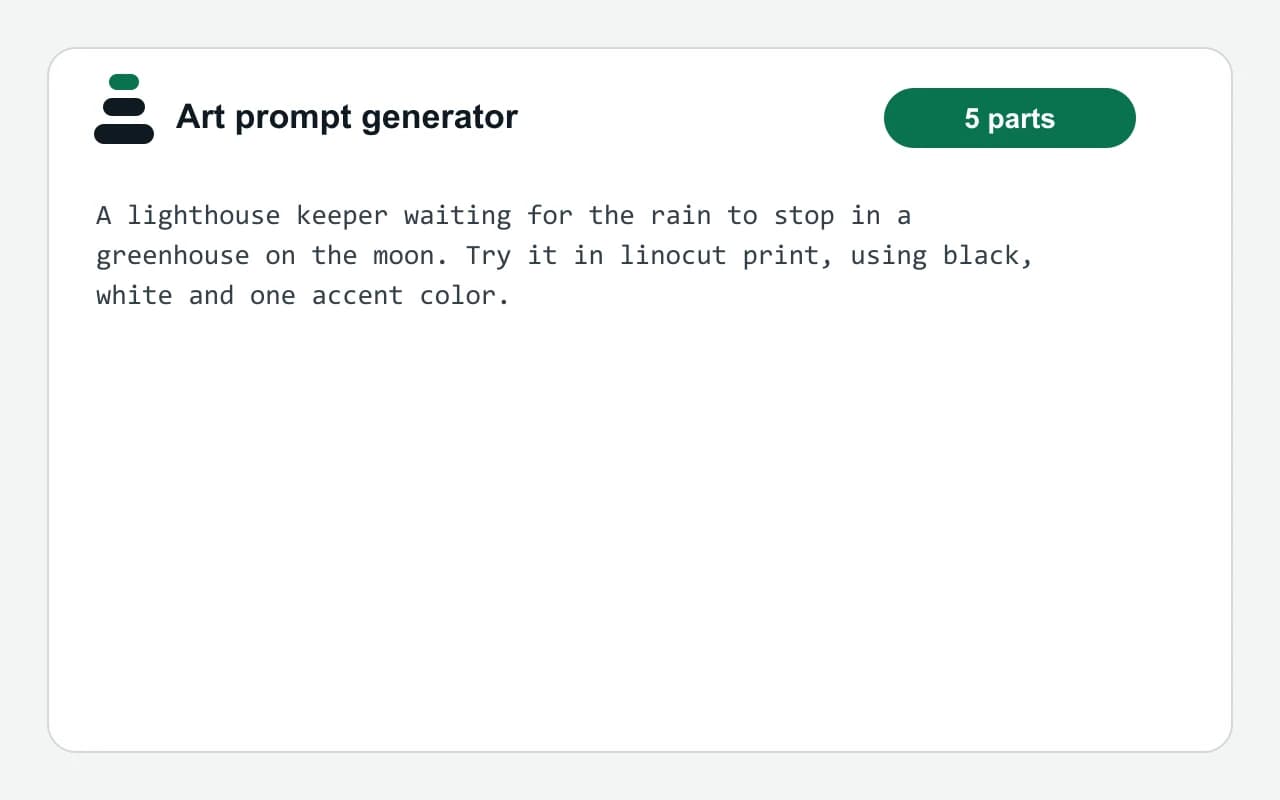
A lighthouse keeper waiting for the rain to stop in a greenhouse on the moon. Try it in linocut print, using black, white and one accent color.
How we test: every page has a fixed input, and we read each output by hand. More on the about page.
How the art prompt generator builds an idea
Every prompt is one sentence with five parts. First comes a subject, such as a lighthouse keeper or a paper boat. Then comes a moment, for example waiting for the rain to stop. After that, the sentence adds a setting, a medium and a palette.
The parts come from word lists that we wrote by hand. There are 24 subjects, 16 moments, 16 settings, 10 mediums and 8 palettes. As a result, the lists combine into 491,520 different prompts, so repeats are rare.
No AI model writes these ideas. Instead, a small seeded generator picks one item from each list. Because of that, the tool answers at once and works the same way every time.
Why a medium and a palette make a better art prompt
A plain subject often leaves you stuck, because every choice is still open. In contrast, a limit gives you a place to start. For instance, two colors plus white forces you to think about value before hue.
The medium works the same way. A linocut needs bold shapes, while watercolor rewards loose edges. So the same subject turns into a new study when the medium changes. Therefore, you can ignore the suggested medium, but try it once before you do.
When this art prompt generator is not the right tool
The generator gives starting points, not lessons. So it will not teach anatomy, perspective or color mixing. If you want a timed exercise for those skills, the drawing prompt page is a better match.
It also does not make pictures. However, the builder can turn any idea into a prompt for an image model. In that case, you answer a few short questions about style, light and framing, and the score shows what is still missing.
What the art prompt generator picks from
| Part of the prompt | Options and an example |
|---|---|
| Subject | 24 options, such as a robot gardener |
| Moment | 16 options, such as mending something broken |
| Setting | 16 options, such as in a flooded library |
| Medium | 10 options, such as gouache or linocut print |
| Palette | 8 options, such as pastels only |
| Total combinations | 491,520 different prompts |
Art prompt generator FAQ
Is the art prompt generator free?
Yes. The idea generators run in your browser, so they are free and unlimited. You do not need an account either.
Does an AI write the art prompts?
No. A seeded generator picks one item from each of five hand-written lists. So the ideas are instant, and the same seed always gives the same prompt.
Can I use these prompts for AI art?
Yes. Press Make it an AI image prompt under any idea. Then the builder asks about style, light and framing, and it writes a prompt you can paste into an image model.
How many art prompts can it make?
The five lists combine into 491,520 different prompts. Each click shows five of them, and the tool skips duplicates within a batch.
Are the prompts good for daily sketching?
Yes. Because each idea names a medium and a palette, it works well as a short daily study. For timed practice, try the drawing prompts as well.