Sora prompt generator
To use the Sora prompt generator, open the Build tab, pick the Video target and write who does what in the shot. Then answer the questions about camera, style and light, and list what to avoid. The result is plain text. However, OpenAI has closed Sora, so you paste it into another video model.
By The Promptcairn team (Product and testing). Last updated .
Type your idea above. Then the builder asks one short question at a time, and every answer adds points.
- Subject (missing)20
- Specific detail (missing)10
- Camera (missing)16
- Setting (missing)12
- Style (missing)12
- Lighting (missing)8
- Pacing (missing)8
- Things to avoid (missing)8
- Audio (missing)6
Your prompt
Your finished prompt appears here.
How to use the Sora prompt generator, step by step
- First, open the Build tab and select the Video target.
- Then write the subject and one action, for example a puppy chasing bubbles in a backyard.
- Next, choose the camera, such as a handheld tracking shot, and the look of the footage.
- After that, set the light, pick 9:16 or 16:9, and name what the shot must not show.
- Finally, copy the text and paste it into the video model you have access to.
The first 3 runs each day are free. After that, see the pricing page for packs and plans, or read how we test the tool.
Sora prompt generator tested with a real input
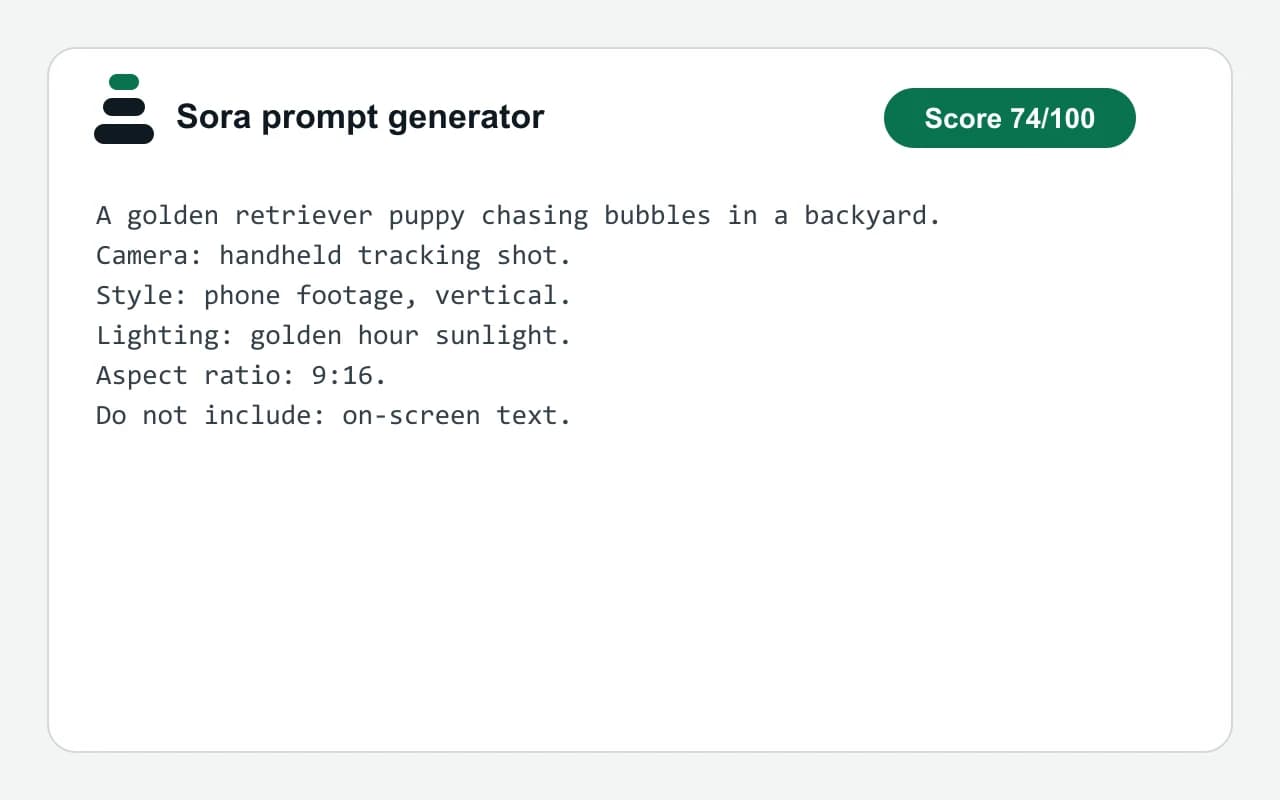
We ran our own test input through this exact tool. The text and the numbers below come from that run, so you can repeat it and compare.
- Test input
- "A golden retriever puppy chasing bubbles in a backyard" plus 4 answers
- Output
- Video prompt
- Score from the idea alone
- 30
- Score after the answers
- 74
- Questions answered
- Camera, Style, Lighting, Things to avoid
- Prompt length
- 203 characters
- Time to build
- under 1 second
A golden retriever puppy chasing bubbles in a backyard.
Camera: handheld tracking shot.
Style: phone footage, vertical.
Lighting: golden hour sunlight.
Aspect ratio: 9:16.
Do not include: on-screen text.
How we test: every page has a fixed input, and we read each output by hand. More on the about page.
How the Sora prompt generator writes a shot description
OpenAI's prompting guide for Sora 2 compares a prompt to a storyboard sketch. It tells you to state the camera framing, describe the action and set the lighting. So this page follows the same order of thought.
First, you write the subject and a single action. The guide notes that one plausible action makes a shot easier to follow. Then the builder asks for the camera, the style and the light, and it writes each answer on a labeled line.
Finally, a last line lists what to avoid, such as on-screen text. The tested example on this page used exactly those answers. As a result, it passed the good enough mark of 70 with four answers.
What OpenAI says about Sora today
Sora no longer runs. According to OpenAI's help center, the Sora web and app experiences ended on April 26, 2026. In addition, the developer docs state that the Sora 2 models and the Videos API shut down on September 24, 2026.
Therefore, nobody can paste a new prompt into Sora right now. Still, a shot description is ordinary text. Because it names the subject, camera, style and light, other video models can read it too.
The old guide also explains one limit that still helps. Clip length and resolution were settings, not words in the prompt. So keep the prompt about the shot, and set the length in the model you use.
When this page is not what you need
This site is independent, with no connection to OpenAI. So it cannot bring Sora back, open your old Sora library or export your clips. For exports, follow the steps in OpenAI's help article instead.
The builder also makes no video. It only writes text in the browser, and you paste that text somewhere yourself. If you have not picked a model yet, the general video prompt page explains every field and its weight.
Parts of the shot description and their weight
| Part of the shot | How the builder handles it |
|---|---|
| Subject and action | Your idea as the opening sentence, 20 points |
| Specific detail | 10 more points when the idea has 8 or more words |
| Camera | A Camera line, 16 points, such as handheld tracking shot |
| Style | A Style line, 12 points, such as phone footage, vertical |
| Light | A Lighting line, 8 points, such as golden hour sunlight |
| What to avoid | A closing Do not include line, 8 points |
| Frame shape | Optional aspect ratio line: 1:1, 4:5, 3:2, 16:9 or 9:16 |
| Sora app status | Closed by OpenAI on April 26, 2026 |
| Sora API status | Shut down by OpenAI on September 24, 2026 |
Sora prompt generator FAQ
Can I still use a Sora prompt generator if Sora is closed?
Yes, because the output is plain text. You cannot run it in Sora anymore, but you can paste the same shot description into another video model.
Is this Sora prompt generator made by OpenAI?
No. It is an independent tool with no tie to OpenAI. It also never sends a prompt to any video model for you.
When did OpenAI shut down Sora?
OpenAI's help center says the web and app experiences ended on April 26, 2026. Then the API followed on September 24, 2026.
What goes into a good shot description?
Name the subject and one action first. Then add the camera, the style, the light and anything the shot should leave out.
Does it cost anything to build a prompt here?
No. The builder runs in your browser, so it is free and unlimited, and it needs no account.
Should I write the clip length in the prompt?
OpenAI's guide said length and resolution were settings outside the prompt. So set them in your video model, and use the Pacing answer only for rhythm.