Claude prompt generator
To use the Claude prompt generator, open the Build tab, choose the Claude target and type what you want done. Next, answer the short questions, one at a time. Each answer lands inside its own XML tag and adds points to a score out of 100. After that, copy the result or press Open in Claude.
By The Promptcairn team (Product and testing). Last updated .
Type your idea above. Then the builder asks one short question at a time, and every answer adds points.
- Task (missing)18
- Specific detail (missing)8
- Audience (missing)16
- Output format (missing)14
- Context (missing)12
- Constraints (missing)10
- Role (missing)8
- Example (missing)8
- Tone (missing)6
Your prompt
Your finished prompt appears here.
How to use the Claude prompt generator, step by step
- First, open the Build tab and set the target to Claude.
- Then write your request in one sentence of eight words or more.
- Next, tap a chip or type an answer for each question that appears.
- After that, skip the questions that do not apply and check the score.
- Finally, copy the tagged prompt or press Open in Claude.
The first 3 runs each day are free. After that, see the pricing page for packs and plans, or read how we test the tool.
Claude prompt generator tested with a real input
We ran our own test input through this exact tool. The text and the numbers below come from that run, so you can repeat it and compare.
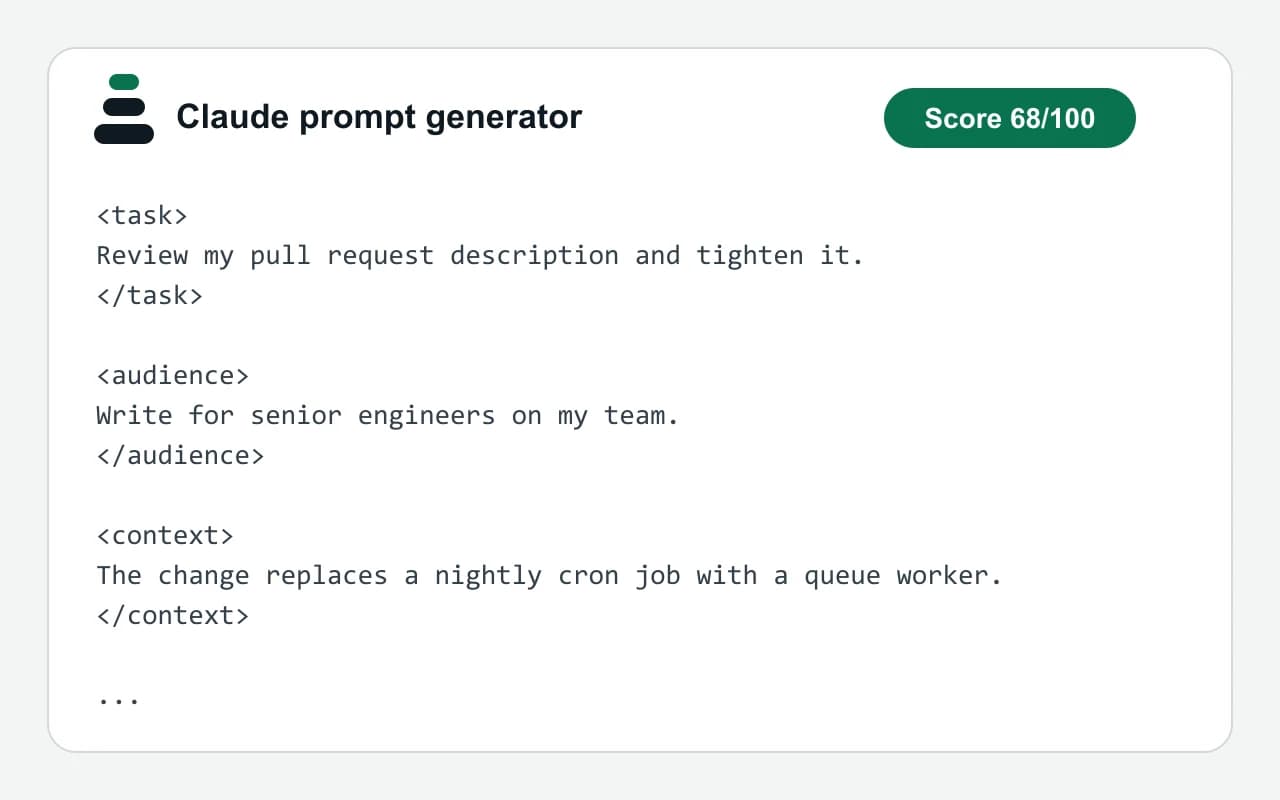
- Test input
- "Review my pull request description and tighten it" plus 3 answers
- Output
- Claude prompt
- Score from the idea alone
- 26
- Score after the answers
- 68
- Questions answered
- Audience, Output format, Context
- Prompt length
- 499 characters
- Time to build
- under 1 second
<task>
Review my pull request description and tighten it.
</task>

<audience>
Write for senior engineers on my team.
</audience>

<context>
The change replaces a nightly cron job with a queue worker.
</context>

<output_format>
A revised description followed by three bullet points on what changed.
</output_format>

<quality_bar>
- If a key detail is missing, state the assumption you made instead of guessing silently.
- Check the answer against every requirement before you finish.
</quality_bar>
How we test: every page has a fixed input, and we read each output by hand. More on the about page.
How the Claude prompt generator writes XML tags
Each answer goes into a named block. So the request sits in a task tag, and the reader sits in an audience tag. The full set is role, task, audience, context, requirements, output_format, example and quality_bar.
Empty blocks are left out. For example, if you skip the example question, the prompt has no example tag at all. As a result, the text stays short and holds only what you chose to say.
The last block is always the quality bar. It has two fixed lines. First, the model should state an assumption instead of guessing in silence. Then it should check the answer against every requirement.
Why XML tags suit a prompt for Claude
Anthropic's documentation recommends XML tags for structuring prompts. Tags separate instructions from context and examples, so the model is less likely to mix them up. Therefore, a long pasted document does not blur into the request itself.
Tags also make edits easy. For instance, you can swap the text inside the context tag and keep the rest. Similarly, you can ask for the reply inside a tag of its own, which helps when you reuse the output elsewhere.
When this Claude prompt generator will not help
This site has no tie to Anthropic, and it does not run your prompt. Instead, it arranges your answers with fixed rules in the browser. So it cannot tell you how Claude will reply, and it adds no facts of its own.
Short chats rarely need tags. In that case, a plain sentence works fine. However, multi-step agent setups, tool definitions and long system prompts need more than nine fields. For those, treat the result as a first draft and extend it by hand.
Each XML tag and what fills it
| Tag in the prompt | Filled by, and points toward 100 |
|---|---|
| <role> | Role, 8 points, set for 14 task types |
| <task> | Your idea, 18 points, plus 8 for a specific idea |
| <audience> | Audience, 16 points |
| <context> | Context, 12 points |
| <requirements> | Constraints, 10 points, and Tone, 6 points |
| <output_format> | Output format, 14 points |
| <example> | Example, 8 points |
| <quality_bar> | Two fixed lines, always added |
Claude prompt generator FAQ
Is this Claude prompt generator made by Anthropic?
No. It is an independent tool with no link to Anthropic. It only formats the prompt in the tagged style that Anthropic's public documentation describes.
Is the Claude prompt generator free?
Yes. The builder is free and unlimited, and it needs no account. It runs in your browser, so your idea is not sent to our server.
Why does Claude work better with XML tags?
Tags show where each part of the prompt starts and ends. Because of that, instructions, context and examples stay apart, which Anthropic's documentation says leads to more accurate replies.
Do the tag names have to be exact?
No. Anthropic's guide says there are no special tag names, so clear and consistent names are enough. The builder therefore uses plain ones such as task and audience.
Can I use the same prompt in ChatGPT?
Yes. Switch the target to ChatGPT, and the builder writes the same blocks under Markdown headings instead. However, a new target clears your answers, so pick it before you start.
What does Open in Claude do?
It opens a new Claude chat in another tab with the prompt already typed in. You need your own Claude account for that step.